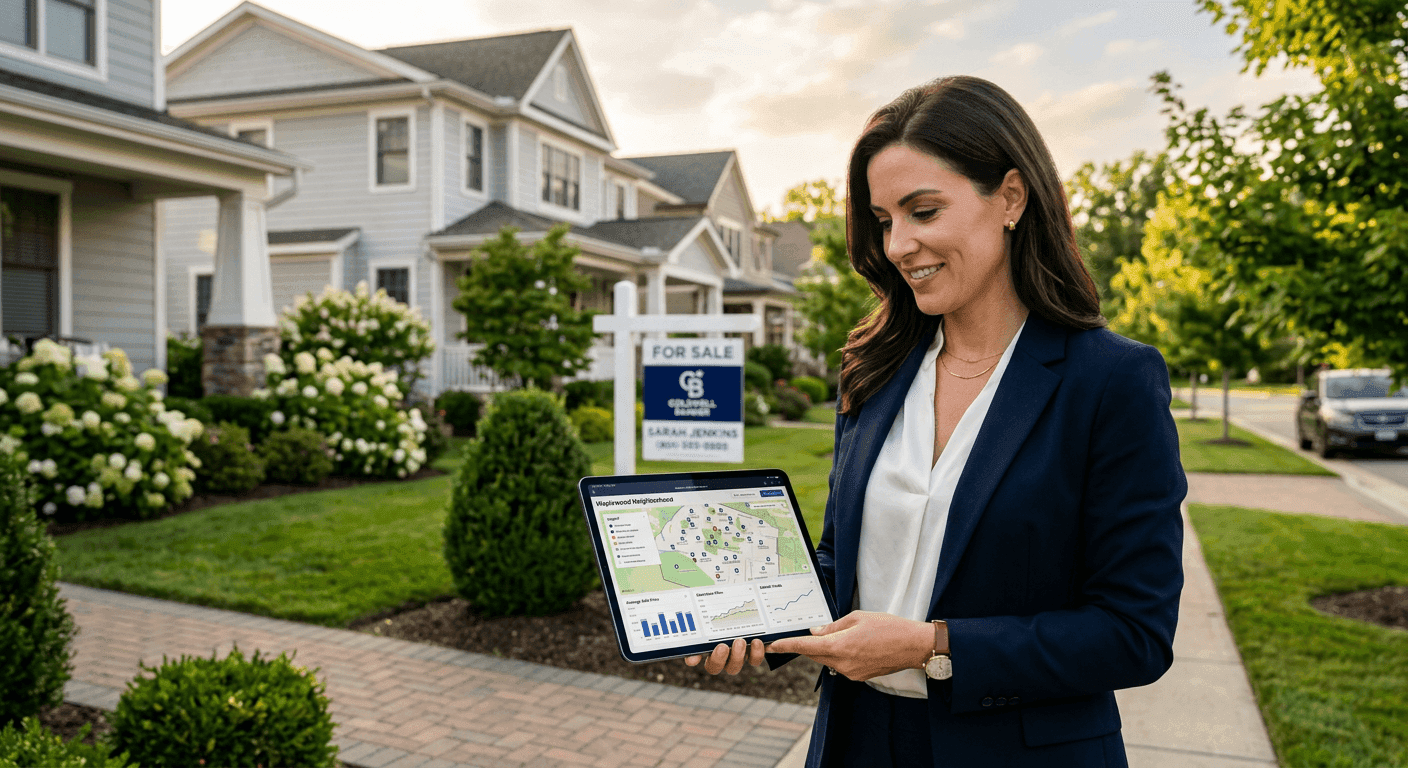
Real Estate Showing Schedule AI for Better Buyer Tours

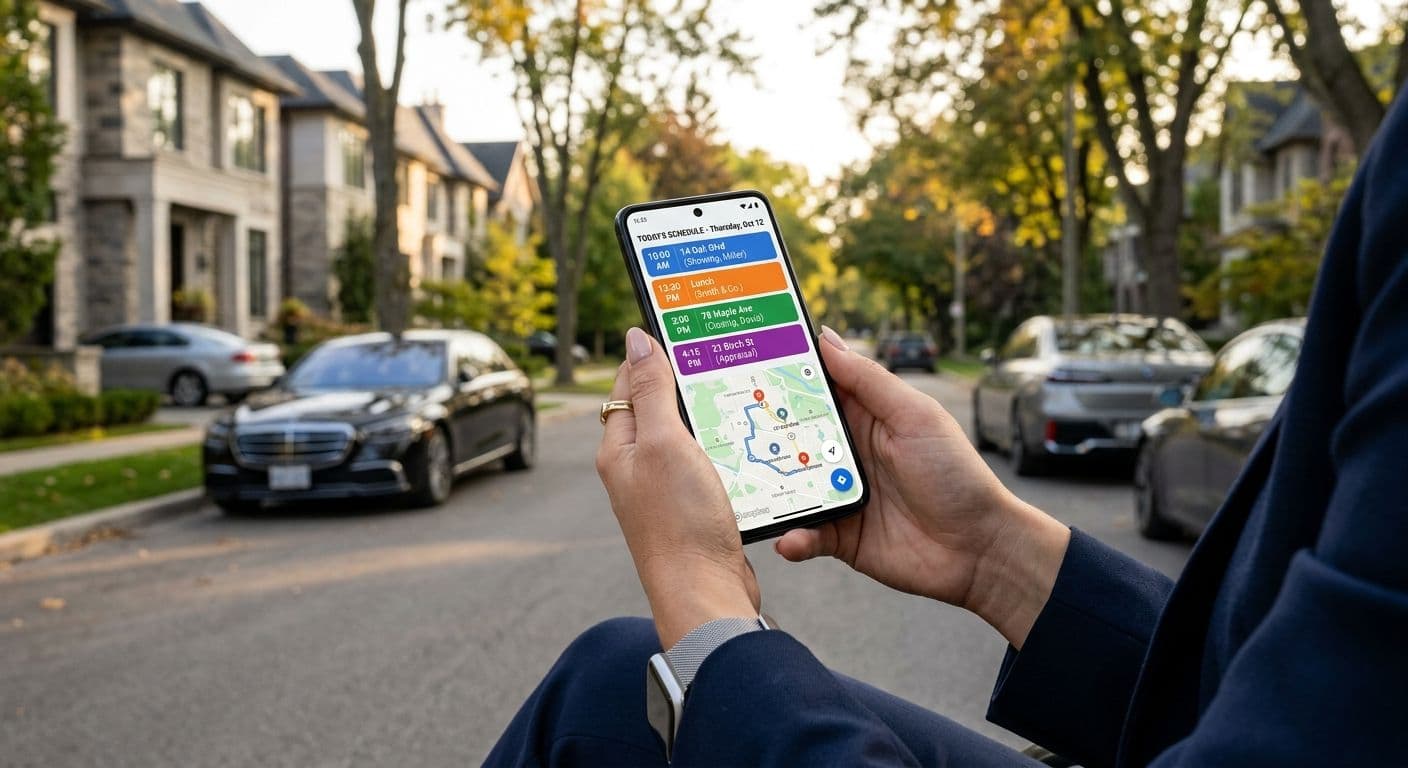
Picture a typical Saturday. Your buyer wants to see five homes before they have to be back at work by 2 p.m. One listing has a short showing window. Two sellers have very different access rules. There is unpredictable traffic between two neighborhoods, and one property sits 25 minutes outside the main search area. Coordinating all of it by hand eats up your morning and still leaves room for mistakes.
This is exactly where AI for real estate showing schedule optimization can help. Used well, it reduces back-and-forth, builds more efficient routes, protects your time, and creates a smoother experience for buyers. It does not replace your judgment. It organizes the variables so you can focus on strategy and service.
The stakes are high because the agent still sits at the center of the transaction. The National Association of REALTORS reports that most recent buyers purchased through a real estate agent or broker, which means better scheduling is a workflow advantage, not just a tech trend. In this article, we will cover the scheduling problems agents face, what AI can realistically optimize, the data you need before scheduling, a practical buyer-tour workflow, listing-side obligations, compliance and privacy risks, the limits of automation, and the metrics that tell you whether your process is actually improving.
The Showing Schedule Problems Agents Are Trying to Solve
Residential showing schedules are rarely simple. A single tour can involve the buyer, the buyer's agent, the listing agent, the seller, a tenant or occupant, a showing service, and sometimes a relocation coordinator or a lender deadline. Each party adds constraints, and those constraints often conflict.
Common pain points include:
- Overlapping buyer availability and limited property access windows.
- Seller restrictions, tenant notice requirements, pets, alarm codes, and occupied-property rules.
- Lockbox or smart-lock access windows that open and close at set times.
- Last-minute cancellations, status changes, offer deadlines, or newly accepted offers.
- Traffic, parking, elevator access, gated communities, and long rural drive times.
- Buyer fatigue from seeing too many homes in one day.
NAR guidance on tenant-occupied and occupied properties makes clear that access instructions, occupant privacy, pets, and seller restrictions are real operational and risk-management issues, not afterthoughts. Local MLS rules and showing policies also govern how access information may be used and shared. A tour that looks efficient on a map can still fail if the schedule ignores showing instructions, current MLS status, seller restrictions, or how buyers actually process homes.
Consider a buyer who wants to see six homes on Saturday. Two require 24-hour notice, one only allows showings after 3 p.m., one has an offer deadline at noon, and one is 25 minutes outside the main search area. The challenge is not simply finding open times. It is sequencing appointments around access, urgency, and realistic travel.
What AI Can Optimize in a Showing Day
AI can help agents organize many variables faster than manual calendar work. In practice, agents searching for ways to use AI schedule showings real estate workflows are usually trying to reduce manual coordination while keeping control of the client experience.
Realistic use cases include:
- Matching buyer availability to available appointment windows.
- Sequencing homes by location, priority, access rules, and time sensitivity.
- Estimating travel time and recommending a route order.
- Flagging schedule conflicts or unrealistic travel gaps.
- Generating draft itineraries for buyers.
- Updating calendars when a showing is canceled or moved.
Route Efficiency
A real estate showing route AI can group homes by geography, traffic patterns, appointment windows, and travel-time reliability. The goal is a workable route, not the shortest line on a map. A better route may prioritize a property with a noon offer deadline, a home with limited access, the neighborhood the buyer is most excited about, or a listing where the seller approved only one specific time slot.
Travel time is harder to predict than many tools suggest. Research from the U.S. Department of Transportation on travel-time reliability shows that urban traffic variability can significantly increase door-to-door travel time. HUD commuting research reinforces that average drive times vary widely by metro area, which affects both tour planning and buyer fatigue. Build in realistic buffers rather than trusting perfect map estimates.
Buyer Preferences
AI-assisted scheduling can help prioritize properties based on buyer-defined criteria, such as price range and financing fit, neighborhood preference, school zone importance, commute needs, must-have features, deal-breakers, HOA restrictions, and tolerance for property condition.
There is an important limit here. AI should never make assumptions about protected-class characteristics or steer buyers. It should organize buyer-stated preferences and objective property data only. NAR generational buyer research finds that quality of the neighborhood and convenience to a job rank among the most important factors for buyers, which is why organizing tours around those stated drivers makes sense. Buyer tour scheduling AI is most useful after you have already clarified buyer priorities through a consultation.
Time Buffers
AI can suggest tight itineraries, but you should adjust them with local knowledge. Add buffers for parking, elevator buildings or gate access, sign-in requirements, traffic, buyers who linger, listing-agent communication, and questions about disclosures, HOA fees, condition, or comparable sales.
Best-practice guidance from the California Association of REALTORS emphasizes building time buffers between showings to account for parking, traffic, and unexpected questions, both to avoid rushed tours and to protect against liability. A 15-minute slot is rarely enough for a serious buyer evaluating layout, condition, outdoor space, neighborhood noise, and renovation needs. Treat AI-generated timing as a draft, not a final professional judgment.
Calendar Coordination
An AI-assisted system can build a draft calendar, but you should verify appointment confirmations, showing instructions, property status, buyer arrival expectations, listing-agent notes, and the access method. An automated showing calendar agent workflow should help centralize confirmations and reminders, but it should not remove you from final review.
The Data Agents Need Before Scheduling
AI output is only as good as the information you put in. Accurate showing optimization depends on:
- MLS property status and listing remarks.
- Showing instructions.
- Access method, such as lockbox, appointment only, listing-agent accompanied, front desk, gate code, tenant approval, or seller confirmation.
- Buyer availability and hard stop times.
- Property priority level.
- Offer deadlines or review dates.
- Drive-time estimates.
- Parking and building access notes.
- Buyer constraints such as childcare, work schedule, mobility needs, or lender timing.
- Brokerage policy requirements.
A quick definition helps here. The MLS, or Multiple Listing Service, is the local database where brokers share listing data, status, remarks, showing instructions, and compensation fields where applicable, according to local rules. RESO data dictionary standards support structured property and showing-related fields, which makes accurate access details available to scheduling tools. Still, verify MLS information before relying on automation, because statuses and access notes can change quickly. Many MLSs, including Bright MLS, publish policy manuals that define acceptable use of showing instructions and access information, and agents must follow those documented rules. Finally, never paste unnecessary sensitive client data into any tool without understanding its privacy practices and your brokerage policy.
A Practical Workflow for AI-Assisted Buyer Tours
Before the Tour
- Confirm buyer readiness. Confirm pre-approval or proof of funds where appropriate, confirm search criteria and decision timeline, and clarify who will attend showings.
- Build the property shortlist. Pull matching MLS listings, remove properties that are under contract, out of budget, or poor fits, and flag listings with offer deadlines, limited access, or high buyer interest.
- Review showing instructions manually. Check access rules, pets, tenant notice, alarms, restricted hours, and listing-agent notes.
- Use AI to draft the route. Sequence homes by location, availability, urgency, and time windows. This is where real estate showing route AI can save time by comparing multiple sequencing options faster than a manual map-and-calendar process.
- Add professional judgment. Insert buffers, move high-priority homes earlier, avoid unrealistic cross-town jumps, and confirm the route makes sense based on local traffic patterns.
- Request or confirm appointments. Confirm each showing according to MLS and listing-side instructions.
- Send the buyer itinerary. Include addresses, appointment order, approximate timing, parking notes, expectations, and a reminder that times may shift.
A few compliance reminders apply. Verify status and instructions before confirming the tour. Do not misrepresent access, buyer qualifications, or the purpose of an appointment. The NAR Code of Ethics requires REALTORS to protect and promote the client's interests and to avoid misrepresentation, which includes verifying status, eligibility, and showing instructions before confirming automated appointments. Follow your brokerage policy for client communication and documentation.
During the Tour
Treat the schedule as a guide, not a rigid script. As you move through homes, track arrival and departure times, buyer reactions, and questions about disclosures, condition, HOA, utilities, schools, commute, or neighborhood. Note whether a second showing, a CMA, or comparative market analysis, or an offer discussion is needed. A CMA, or comparative market analysis, estimates value by comparing a property to similar recent sales, active listings, and current market conditions.
Watch for timing risks. A buyer may spend too long at an early home, traffic may disrupt the next appointment, a listing agent may send updated access notes, or a property may go pending mid-tour. Throughout, maintain fair housing consistency. HUD's Fair Housing Act guidance notes that steering and inconsistent treatment can arise from how properties are presented to different buyers. Presenting options based on objective criteria and buyer-stated preferences, and documenting that you do so, helps demonstrate a consistent process across clients.
After the Tour
Update your notes immediately while feedback is fresh. Categorize each property as eliminate, maybe, strong contender, needs more information, or consider an offer.
Then send a clear follow-up. Include a summary of the homes toured, links to disclosures or MLS sheets where appropriate, questions for the listing agent, and next steps for second showings, lender check-ins, a CMA, or offer preparation. CFPB research on mortgage shopping shows that consumers who compare options and receive clear follow-up feel more confident in their decisions, which supports a structured post-tour routine. Update saved searches based on actual reactions, not assumptions.
If a buyer wants to write an offer, walk through the operational steps: review comparable sales, discuss contingencies, confirm lender terms, review disclosures, and draft the offer according to state forms and brokerage policy. Contingencies are contract conditions that must be satisfied or waived, such as inspection, financing, appraisal, sale of the buyer's property, or HOA document review. Escrow refers to a neutral process or account used to hold funds and coordinate closing according to state practice.
How to Use an Automated Showing Calendar Without Losing Control
Automation can handle repetitive work, but you should keep control over final route approval, buyer communication, sensitive client details, showing-confirmation review, MLS compliance, safety planning, and listing-agent communication. A good automated showing calendar agent process should make it easier to see conflicts, confirmations, and travel gaps without letting the calendar override local judgment. You still own the professional standard of care.
Local expertise still matters in ways a map cannot capture. Saturday farmers market traffic may block a downtown route. A listing with a steep driveway may need daylight. A condo building may require extra front-desk check-in time. A rural route may have poor cell service that breaks your tools mid-tour. NAR's research on real estate in the digital age underscores this balance. While the vast majority of buyers use the internet during their search, they still rely heavily on agents for interpretation, access, negotiation, and local knowledge. Automation should support that expertise, not replace it.
Buyer Experience Benefits
Better scheduling is not only an efficiency play. It directly improves the buyer experience by creating less rushed tours, clearer expectations, fewer missed appointments, more logical neighborhood comparisons, better recall after multiple homes, and more confidence when deciding whether to write an offer. This matters because touring is often stressful. A Zillow survey found that a large majority of buyers considered scheduling and touring homes a stressful part of the process, so smoother, well-sequenced tours can meaningfully improve how buyers feel.
When possible, limit tour size. Seeing too many homes causes fatigue and makes decisions harder. Group homes into meaningful comparisons: same neighborhood at different price points, similar price with different commutes, similar layout in different condition, or different school zones and property types based on buyer-stated needs. Buyer tour scheduling AI is most valuable when it helps you create a better decision-making experience, not simply a faster route. Good tour design helps buyers understand trade-offs, not just view more listings.
Listing-Side Considerations Agents Must Respect
Buyer-side convenience never overrides listing-side obligations. AI-assisted scheduling must honor seller-approved hours, tenant notice periods, pet instructions, alarm codes and security rules, restricted rooms or areas, listing-agent accompanied showings, occupied-property privacy, and any no-overlap or limited-overlap showing rules.
A listing agreement may include seller-authorized terms for marketing, access, and showing procedures, and you should follow the instructions provided through the MLS and the listing agent. Never assume that an open time on a calendar means all access requirements are satisfied. NAR safety and occupied-property guidance stresses following alarm instructions, respecting pets and occupant privacy, and adhering to restricted hours, all of which must be built into any automated workflow. Document confirmations and changes. If the same agent or brokerage represents both sides, remember that dual agency rules vary by state. Dual agency is a situation where one agent or brokerage represents both buyer and seller, where permitted and disclosed under state law.
Compliance, Privacy, and Risk Management
AI-assisted scheduling must still comply with fair housing laws, MLS rules, brokerage policy, state licensing rules, agency duties, client confidentiality obligations, and data privacy expectations.
On fair housing, do not use protected-class characteristics to filter, prioritize, or route homes. Avoid steering through comments, route choices, or selective presentation of neighborhoods. Use objective, buyer-stated criteria and document the process. NAR fair housing guidance reminds agents that using technology must still comply with the Fair Housing Act, including avoiding discriminatory criteria in automated scheduling and maintaining consistent processes across protected classes.
On privacy, treat client availability, work schedule, family logistics, contact details, financing status, and location data as sensitive. Understand what data a tool collects, stores, shares, or uses to train AI systems, and use only brokerage-approved tools and policies. FTC business privacy guidance highlights the obligations around collecting, storing, and using consumer data, which apply when you capture client information in scheduling tools.
On MLS and access rules, do not copy or distribute access instructions outside permitted channels, do not share lockbox codes or confidential remarks improperly, and follow local MLS showing and data-use rules. On documentation, keep records of showing confirmations, cancellations, itinerary changes, buyer feedback, and listing-agent communications.
This section is for operational awareness only and is not legal advice. Rules and practices vary widely. Consult your broker, local association, MLS, and qualified counsel for state-specific guidance.
When AI Scheduling Is Not Enough
Some situations call for hands-on judgment rather than automated optimization. These include competitive offer deadlines, multiple-offer situations, properties likely to go pending quickly, relocation buyers with limited time in market, luxury showings requiring listing-agent coordination, rural properties with long drives or poor cell coverage, new construction appointments, tenant-occupied homes, estate sales, divorces or other sensitive seller circumstances, and buyers who feel overwhelmed or uncertain.
NAR statistics from recent hot-market cycles show that multiple-offer situations and short offer deadlines were common, which illustrates why human judgment is essential when timing showings around competitive deadlines and complex access. In a tight market, you may prioritize the property most likely to receive offers first, even if it disrupts route efficiency. Judgment also matters when reading buyer reactions. A buyer who spends 30 minutes in a home may signal strong interest, confusion, concern, or emotional hesitation. AI can optimize logistics, but you guide strategy.
How to Evaluate Your Showing Schedule Process
To know whether AI-assisted scheduling is actually helping, track a handful of metrics over several tours:
- Time spent coordinating showings per tour.
- Number of messages or calls required to finalize a route.
- Average showings per tour.
- Percentage of tours that start and end on time.
- Missed or late appointments.
- Cancellation or reschedule rate.
- Average travel time between showings.
- Buyer satisfaction after tours.
- Number of homes eliminated after each tour.
- Number of second showings requested.
- Showing-to-offer conversion.
- Offer readiness after a tour.
- Listing-side complaints or access issues.
- Compliance exceptions or documentation gaps.
Compare manual scheduling against AI-assisted scheduling over several tours, then look for where bottlenecks remain: bad data inputs, buffers that are too small, a weak appointment-confirmation process, overloaded itineraries, or thin buyer consultation before scheduling. Industry guidance on AI appointment scheduling commonly recommends tracking response time, no-show rate, and showing-to-offer conversion, which gives teams a starting framework to adapt. For teams, run a simple monthly review and ask what caused schedule failures, which tours felt rushed, which routes saved time, what instructions were missed, and which steps should be standardized.
Practical Best Practices for Agents and Teams
- Start with a buyer consultation before using AI to build a tour.
- Use AI for draft routes, not final professional decisions.
- Verify MLS status and showing instructions before confirming.
- Add realistic buffers.
- Prioritize urgent or high-fit properties.
- Keep buyer itineraries simple and clear.
- Avoid overloading tours.
- Document confirmations and changes.
- Follow fair housing and privacy standards.
- Review the schedule before, during, and after the tour.
- Debrief with buyers quickly after the tour.
- Standardize team procedures so assistants, showing partners, and lead agents follow the same process.
Conclusion: Use AI to Create Better Tours, Not Just Faster Calendars
AI can reduce scheduling friction, optimize routes, match buyer availability, and improve calendar coordination. The best results come from combining that automation with your expertise, local market knowledge, accurate MLS data, compliance discipline, and clear buyer communication. NAR technology research suggests that agents who pair tools with strong service see gains in both productivity and client experience, which supports treating AI as an assistant rather than a substitute for judgment. The goal is not simply more showings in less time. The goal is better buyer decisions and fewer operational mistakes.
Before your next buyer tour, audit your current scheduling process, identify the three biggest friction points, and build a repeatable showing workflow your team can use consistently.
Sources
- National Association of REALTORS
- NAR Home Buyers and Sellers Generational Trends
- NAR Real Estate in a Digital Age
- NAR Code of Ethics
- NAR Fair Housing
- NAR Field Guide to Working With Tenants in a Tenant-Occupied Property
- NAR Safety Resources
- NAR Quick Real Estate Statistics
- HUD Fair Housing Act Overview
- HUD User Commuting Patterns Research
- U.S. Department of Transportation Travel Time Reliability Research
- RESO Data Dictionary
- Bright MLS Rules and Policies
- FTC Protecting Personal Information: A Guide for Business
- Consumer Financial Protection Bureau Mortgage Shopping Study
- California Association of REALTORS Risk Management
- Zillow Research
Frequently asked questions
Pick one calendar as the source of truth (e.g., Google Calendar) and push all other tools to it via one‑way feeds. Disable any second two‑way syncs that could loop events, and create auto‑holds when a draft tour is generated, releasing them after confirmations. Test with a mock tour to catch duplicates. Document the setup so teammates follow the same sync pattern.
As a starting point, plan 20–25 minutes on site for condos/townhomes and 25–35 minutes for detached homes, plus 5–10 minutes for parking, elevators, or gates. Add 30–50% to map ETAs in dense urban cores during peak hours, 10–20% in suburbs, and 20–40% during major events. Insert a 10–15 minute recap break every two to three homes. Adjust based on your market’s traffic patterns and buyer pace.
Use MLS status alerts and watchlists that post to a shared channel so your draft tour updates fast. Automations (e.g., Zapier/Make) can flag a property as canceled, re‑sequence the route, and slot in a pre‑approved backup. Keep a short bench of alternates with access pre‑cleared. Always follow your MLS rules and brokerage policy when automating access data.
Avoid entering names, exact home/work addresses, or financing details in third‑party tools unless your brokerage has approved it. Use initials, property IDs, and time ranges, and opt out of data retention or training when available. Store confirmations and notes in your brokerage system, not in public docs. Requirements vary by brokerage and state. Check policy before connecting tools.
Sequence by risk first: the appointment most likely to become unavailable goes earliest, then the highest‑fit property, then remaining homes by proximity. Add a 10–15 minute pre‑arrival buffer for the time‑sensitive stop to absorb delays. If two critical constraints collide, deploy a showing partner or move the lower‑priority home to a follow‑up tour. Confirm any changes with all parties before departing the prior stop.
Prioritize MLS‑aware time windows, reliable travel‑time modeling with buffers, role‑based access, audit trails, and confirmation tracking. Mobile offline mode and instant change alerts are key for on‑the‑road adjustments. Buyer‑facing itineraries with live updates improve clarity. Verify vendor privacy terms and whether the tool supports your local lockbox and MLS ecosystem.
Alternate manual planning and AI‑assisted planning by week, using the same price ranges and areas to keep conditions comparable. Track coordination time, reschedules, on‑time start/finish rates, average travel per hop, and buyer satisfaction scores. Compare medians at month‑end and review outliers to find failure points. Keep only the AI steps that reduce coordination without hurting client experience.
Front‑load accessible properties (ground floor or elevator) and avoid steep driveways or tight staircases when possible. Extend dwell time by 5–10 minutes per stop and schedule short rest breaks every two homes. Confirm stroller/wheelchair access, nearby restrooms, and any no‑shoe or protective covering rules. Let AI draft the route, then adjust for comfort and accessibility based on your market’s building types.